Home Furniture • October, 2026

3D Product Visualization for Furniture Brands

3D visualization shows shoppers exactly what they’re buying. Configuration and real-time pricing turn that view into a sale.

3D furniture visualization of a modular terracotta sofa in a living room with fabric color options

Table of contents

Furniture sells differently online than almost anything else. A shopper can’t sit on a sofa through a screen, can’t run a hand across a fabric swatch, and often can’t tell how a finish will look in their own room until the box arrives. Static photography has always been furniture ecommerce’s weakest link, and it’s exactly the gap 3D visualization was built to close.

3D furniture visualization is more than photorealistic rendering. It changes the shopping experience, but it still leaves one thing unsolved: what happens after a shopper finds the exact configuration they want.

What Is 3D Furniture Visualization?

3D furniture visualization is the use of computer-generated 3D models, instead of static photographs, to show a piece of furniture on a product page. Rather than a fixed set of photos in a few colors, the shopper interacts with a real-time render: they spin it, zoom into the stitching or grain, swap the fabric or finish, and sometimes place it in their own room through augmented reality (AR).

For furniture specifically, this matters more than it does for simpler products. A sofa is a shape, a fabric, a leg finish, sometimes a configuration of modules, not one SKU. Photographing every combination is either impossible or absurdly expensive. A 3D model sidesteps that: you build the geometry and materials once, and the render handles every combination from there.

3D sofa configurator showing fabric, cushion size, seat size and base finish options for a grey-blue sofa

How 3D Visualization Changes the Furniture Shopping Experience

Once a furniture brand moves from static photos to 3D, two things change immediately: what a shopper can evaluate before buying, and how many of those shoppers send the product back afterward.

Replacing Static Photography with Interactive Views

A traditional furniture PDP shows what the studio happened to shoot: usually one or two colorways, one angle, maybe a lifestyle shot. If a shopper wants to see the sofa in “Oat” instead of “Charcoal,” they’re either guessing from a small swatch or leaving the page to search for a photo that doesn’t exist.

A 3D-rendered product removes that guesswork. Every material and finish the brand sells becomes viewable, from every angle, without a second photoshoot. The shopper controls what they see instead of accepting what the brand happened to capture.

Fewer Returns from Accurate Product Representation

Furniture has one of the highest return rates in ecommerce, and “looked different in person” is a recurring reason. A flat photo under studio lighting doesn’t always convey true material texture, proportion, or how a color reads against a real wood tone. Interactive 3D, especially paired with AR placement in the shopper’s own room, closes some of that gap before the order ships, not after it’s returned.

Visualization vendors lean hard on the returns argument, and it’s a real one. It doesn’t cover the whole story for configurable furniture, which the next section explains.

AR furniture placement on a smartphone showing an upholstered counter stool in a real kitchen
Web-based AR lets shoppers place a piece in their own room before they order.

What Happens After the Shopper Finds a Configuration They Like?

Pure visualization tools leave one gap unaddressed. A shopper spins the sofa, picks the fabric, likes what they see, and then, what? On a visualization-only platform, the answer is usually “add to cart at the base price” or “request a quote by email,” because the visual layer and the pricing layer were never connected.

That gap is bigger for complex or modular furniture. A modular furniture configurator has to track not just what a sectional looks like, but which modules are compatible, how many the buyer selected, and what that specific combination costs. Rendering the sofa correctly is necessary. It isn’t sufficient once the product has real structural variation.

Visualization vs. Configuration: What's the Difference?

The two terms get used interchangeably, but they describe different depths of interactivity:

  • Visualization shows you what a product looks like in a given state (color, material, angle). The shopper picks from a fixed set of visual variants.
  • Configuration builds the product from components or rules, and the visualization updates to match. The shopper assembles what they’re buying, not just what they’re looking at, and the system understands the structure well enough to price it.

Every configurator includes visualization. Not every visualization tool includes configuration. That distinction matters: most of what ranks for “3D furniture visualization” is excellent at the first half of that list and stops there.

Real-Time Pricing Is the Bridge Between Looking and Buying

For furniture, and especially for B2B furniture buyers (specifiers, contract buyers, dealers ordering in volume), the moment that matters most is the number that appears the instant they finish configuring, not the render. A visual that updates live means little if the price arrives by email two days later; that delay breaks the momentum a good configurator experience built.

This is the practical argument for connecting visualization to pricing rather than treating them as separate tools: the same interaction that lets someone see a sectional in “Boucle Sand” with three extra modules should also tell them, instantly, what those three modules cost. It’s the same logic behind why product configurators lift ecommerce conversion rates in the first place: shoppers convert when the gap between deciding and knowing the cost disappears.

View the home furniture configurator
3D furniture configurator showing real-time pricing and add to cart for an oak armchair with a red cushion
The price updates with every choice, so shoppers can go straight from configuring to the cart.

What to Look For in a 3D Furniture Visualization Platform

Not every furniture brand needs the same depth of tool. But if you’re evaluating options, these are the criteria that separate them:

Rendering Quality and Load Speed

Photorealism is table stakes at this point, but load time isn’t always. A beautiful render that takes six seconds to appear on mobile loses shoppers before they see it. Ask any vendor for real load-time numbers on an actual mobile connection, not a demo running on their own server.

AR and Mobile Placement

Web-native AR (no app download required) has become the norm for letting shoppers place a piece in their own space. If a vendor’s AR requires a separate app install, that’s real friction worth weighing against the benefit.

Whether It Displays Configurations or Builds Them

This is the question from the section above, made practical: ask the vendor directly whether their platform prices a configuration in real time, or whether pricing is a separate, manual step after the visual is done. Vendors built primarily for visualization (imagery, AR, asset management) are honest about this scope, and it’s a legitimate choice for a brand that sells fixed SKUs in multiple colors. It’s a real limitation for a brand selling modular or made-to-order furniture. If your products aren’t fixed SKUs, that answer matters more than the render quality itself. It’s also the same build-vs-buy question we cover from a different angle in custom configurator vs. no-code platform.

Do You Need Full Configuration, or Is Visualization Enough?

Be honest with yourself about your catalog before choosing a tool:

  • If you sell fixed products in a handful of color or fabric variants, and the main problem is expensive photography or high returns, a visualization-focused platform solves that problem well. You don’t need a configuration layer you’ll never use.
  • If your products are modular, made-to-order, or priced by combination (sectionals, cabinetry systems, bespoke pieces), visualization alone leaves a gap between “looks great” and “here’s what it costs.” That gap gets filled by email, phone calls, or a quote request form, none of which match the real-time experience the visualization created in the first place.

The honest answer for most furniture brands sits somewhere between these two, so it’s worth defining before you evaluate vendors, not after.

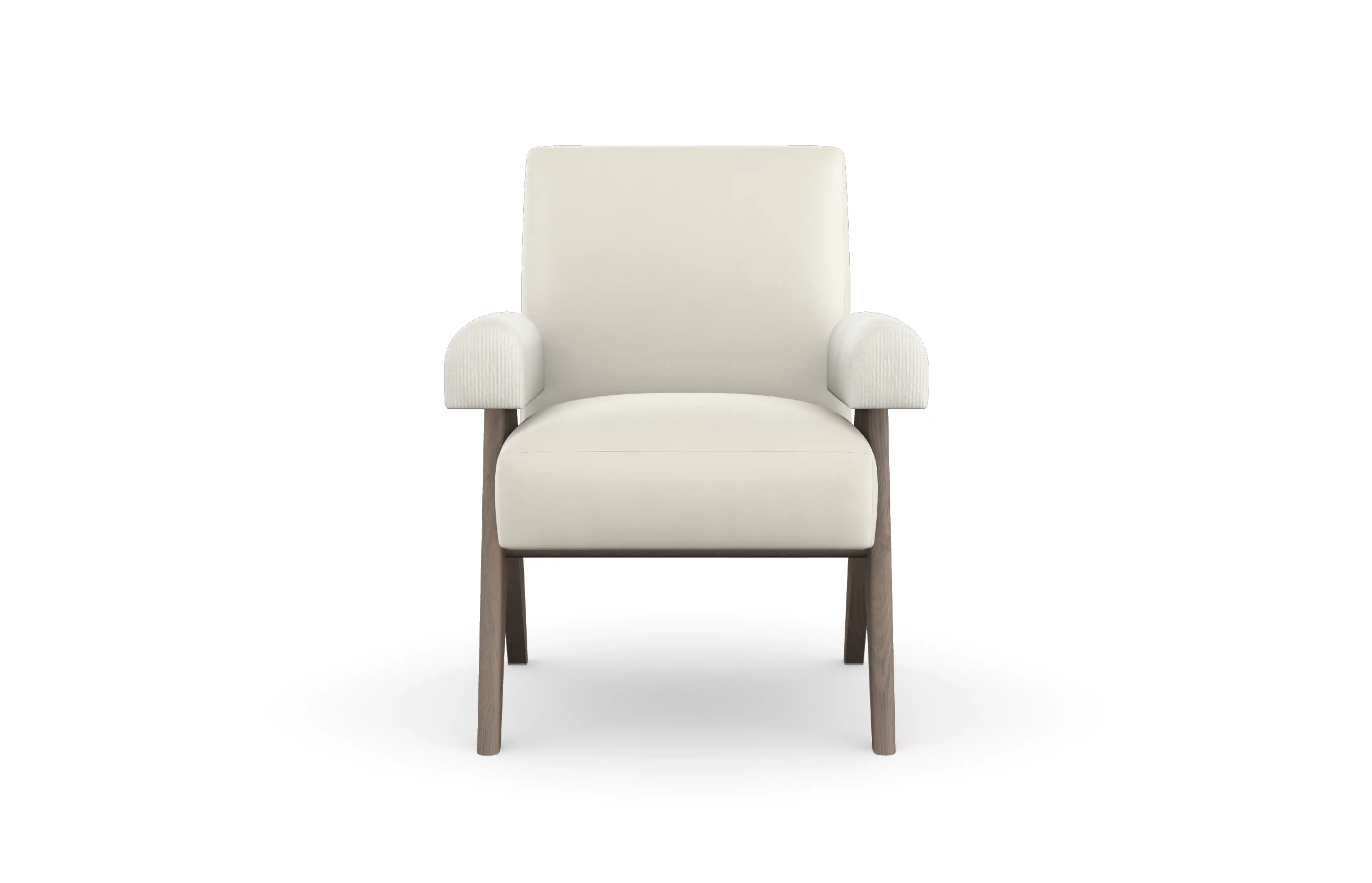
Furniture configurator rule hiding metal finishes when wood legs are selected for a cream armchair
Rules keep every configuration valid: choose wood legs and only wood finishes remain.

Getting Started with 3D Visualization for Your Catalog

Start with the products where the return rate or the “we can’t photograph every combination” problem is worst; that’s usually where 3D visualization pays for itself fastest. From there, the real decision is simple: does the tool stop at the view, or does it carry that view through to an accurate, real-time price? For most furniture catalogs beyond simple, fixed-SKU pieces, that second half is where the actual sales impact lives.

Frequently Asked Questions

Is 3D furniture visualization expensive to implement?

It’s typically far cheaper over time than repeated studio photography for every color and material combination, since the 3D asset is built once and reused across every variant, channel, and future campaign.

Does 3D visualization work for modular or sectional furniture?

Visualisation alone can render a modular piece, but modular and sectional furniture also needs the platform to understand which modules are compatible and what each combination costs, which is a configuration capability, not a visualisation one.

Can 3D furniture visualization fully replace product photography?

For most catalogs, yes for the product itself; brands typically still use a small number of photographed lifestyle or hero images alongside the interactive 3D view, rather than replacing photography entirely.